

Home Wi-Fi & networks
Home Wi-Fi Setup in Midland: Fix Dead Spots and Slow Connections
Dead zones, cottage weekends, and a router that gave up years ago. I set up Wi-Fi that covers the house and survives when the whole family shows up.
Tell me what is going onFew things cause more daily frustration than Wi-Fi that does not quite work. Video calls freeze in the back bedroom, the TV buffers every evening, and the printer drops off the network for no obvious reason. I am Brent, and TechBrent offers home Wi-Fi setup in Midland, Penetanguishene, and the surrounding area: new routers, mesh systems where they earn their keep, and networks that behave even when everyone is home.
My work is software, configuration, and choosing the right equipment. I do not run structured cabling or crawl through attics, and I will tell you up front if a job needs that. Service is by appointment, remote or at your home, cottage or business.
What I can do for your home network
Every house is different, so I start by understanding how yours is laid out and how you use the internet. From there, typical Wi-Fi setup work includes:
- Setting up a new router or the equipment your internet provider supplied
- Finding and fixing dead spots, often with a mesh Wi-Fi system
- Choosing a sensible network name and a password you can actually share
- Setting up a guest network for visitors and smart devices
- Connecting printers, smart TVs, and streaming devices that refuse to join
- Updating router firmware and turning off risky default settings
- Planning internet and Wi-Fi for a seasonal property or cottage
Why Wi-Fi dead spots happen
Wi-Fi signals weaken with distance and lose strength passing through walls, floors, and some building materials. A router tucked in a basement corner or inside a cabinet may give excellent speed in one room and almost nothing two rooms away. Older homes with plaster walls, long bungalows, and houses with a finished basement or upper storey are especially prone to Wi-Fi dead spots.
Common causes include:
- A router placed at one end of the house, or hidden behind the TV
- An older router that cannot keep up with the number of devices in a modern home
- Interference from neighbouring networks or household electronics
- Range extenders that create a second, slower network with a different name
- Devices stubbornly clinging to a weak signal instead of a stronger one nearby
When mesh Wi-Fi makes sense
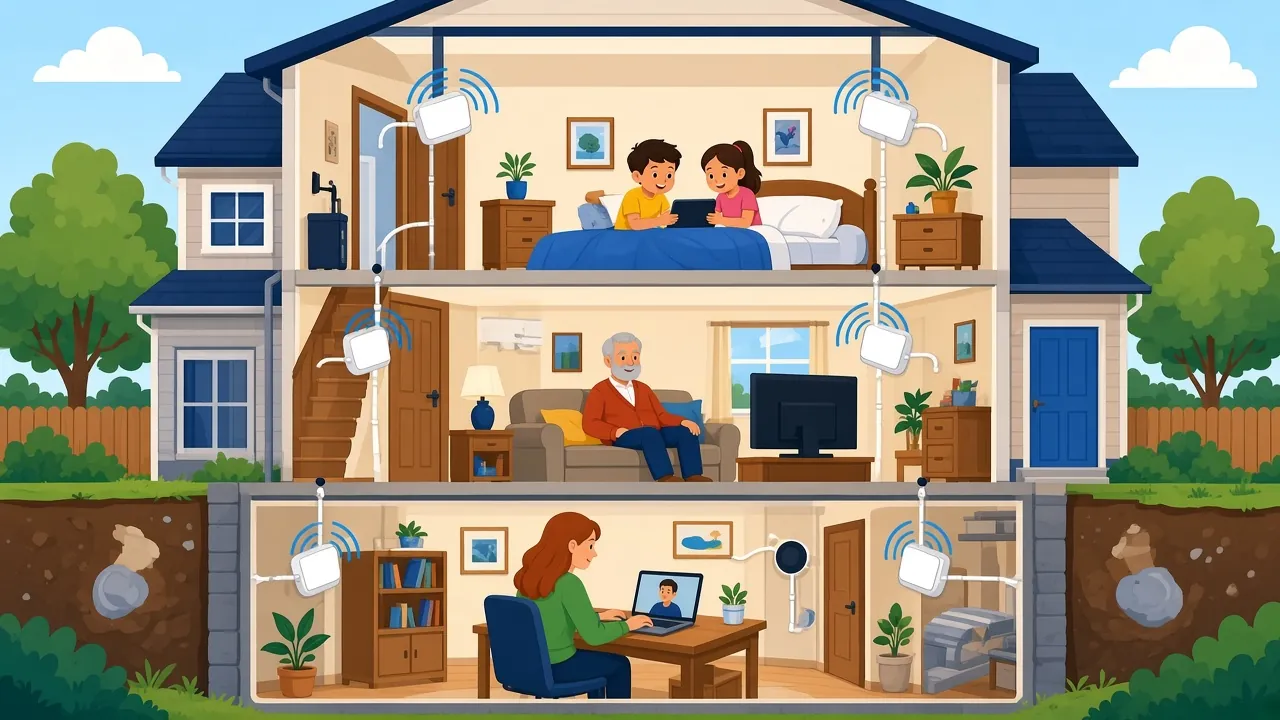
A mesh system uses two or more units placed around the home that work together as one network with one name. Your devices move between them automatically as you walk around. For larger or multi-level homes, mesh Wi-Fi is often the cleanest fix for dead spots.
That said, mesh is not always necessary. Sometimes moving the router, changing a setting, or replacing a tired old unit solves the problem for much less disruption. I recommend mesh only where it genuinely earns its keep, and I will explain why before you buy anything.
Is it the Wi-Fi or the internet?
One of the first things I work out is whether the problem is your Wi-Fi inside the house or the internet connection coming into it. They feel the same when a video freezes, but the fixes are completely different. If the internet service itself is slow or dropping, a new router will not help much, and the conversation needs to be with your provider. If the internet is fine at the router but weak elsewhere, that is a Wi-Fi problem, and that is where I can make the biggest difference.
I test both, explain what I find in plain English, and if the provider is the issue, I tell you what to ask them for, so you are not passed around on the phone. Getting this right first means you spend money only where it will actually help your home Wi-Fi setup.
Signs your home network needs attention
- Video calls freeze or drop in certain rooms but not others
- Streaming buffers in the evening when everyone is online
- Devices show full Wi-Fi bars but pages still load slowly
- You have two or three network names from old extenders
- Nobody in the house remembers the router password
- Your router is several years old and has never been updated
How a Wi-Fi visit works
- You tell me about the problem: which rooms are weak, what devices struggle, and who provides your internet.
- I reply with a plan and let you know whether new equipment is likely to be needed.
- At your home, I test the signal in different rooms and look at how the network is set up.
- I adjust, replace, or add equipment as agreed, then test again in the problem areas.
- I reconnect your devices and show you how to manage the network from your phone.
- I leave the network name and password written down somewhere you control.
Cottage internet in Tiny and Tay
Cottages along the shoreline in Tiny, Tay, and the islands and bays nearby bring their own challenges. Internet options can be more limited than in town, the building may be spread out, and the Wi-Fi often needs to reach a bunkie, a deck, or the dock. Equipment also sits through cold winters and power interruptions while nobody is there.
I can help you make the most of the internet service you have:
- Placing equipment for the best coverage across the cottage and outdoor spaces
- Setting up a guest network that visitors can join without asking for the main password
- Getting TVs, streaming devices, and smart thermostats or cameras connected
- Planning a sensible routine for shutting down in the fall and starting up in the spring
If the cottage also needs TVs, printers, or tablets set up, my in-home tech support and tech concierge service can cover everything in one visit.
Choosing the right equipment
If new equipment is needed, I help you choose something that suits your home, rather than the most expensive box on the shelf. I look at the size and layout of the house, the number of people and devices, what your internet provider supplies, and how comfortable you are managing things yourself. Many modern systems can be managed from a simple phone app, and I set that up and show you how to use it. You buy the equipment you are happy with, and I take care of the setup.
Smart home devices
Doorbells, thermostats, speakers, and smart plugs all rely on the Wi-Fi, and they often struggle when the network changes. I connect them, place them on a guest or separate network where sensible, and make sure they reconnect on their own after a power interruption, which is especially useful at a cottage.
Small home offices
Working from home in Midland or Penetanguishene puts extra demands on a home network. Video calls need a stable connection, printers need to be reliable, and work devices should be kept separate from smart gadgets and visitors. I can set up a home office network that keeps work running smoothly, with a guest network for everything else.
Families with lots of devices
A busy household can easily have thirty or more devices on the Wi-Fi once you count phones, tablets, laptops, TVs, game consoles, and smart speakers. Older routers were never designed for that many. If evenings are when everything slows down, the router may simply be overwhelmed. Part of my Wi-Fi setup in Midland is looking at what is connected, removing devices that no longer belong, and making sure the equipment can handle the load comfortably. It is often a quick change that makes the whole house feel faster, without paying for a faster internet plan you may not need.
Keeping your network safe
A router is the front door to your home internet, and many are still running with default passwords and old firmware. As part of every Wi-Fi job, I check the basics:
- Changing the default administrator password on the router
- Using current Wi-Fi security settings
- Updating router firmware and turning on automatic updates where available
- Moving smart devices and visitors onto a separate guest network
Printers and TVs that will not join the Wi-Fi
When you change your router or Wi-Fi password, every device in the house needs to be reconnected, and some are more stubborn than others. Printers in particular can be fussy about which type of network they join. I reconnect them, make sure every computer, phone, and tablet can print, and test that streaming devices and smart TVs stay connected.
Where I help with home Wi-Fi
I visit homes and cottages in Midland, Penetanguishene, Tiny, Tay, Port McNicoll, Victoria Harbour, and the wider Simcoe County and Muskoka area within about 45 minutes of Midland, including Barrie and Orillia. Some router and network settings can also be adjusted remotely, as long as at least one computer in the house is online.
I serve Midland, Penetanguishene, Tiny, Tay (Victoria Harbour, Port McNicoll and Waubaushene), Wasaga Beach, Elmvale, Coldwater, Orillia and Barrie.
What I don't do
To keep expectations clear, I do not run network cabling through walls, mount equipment on ladders or rooftops, or install security camera systems. If your project needs cabling or a tower-mounted antenna, I will say so and help you plan the setup once that work is done. You can read more about all of my services on the TechBrent services page.
Let's get your Wi-Fi working everywhere
Whether it is one stubborn room, a new router still in its box, or a cottage that needs to be ready for guests, I would be glad to help. Service is by appointment, remote or at your home, cottage or business. Send me a note through the TechBrent contact form describing your home and the problem, and I will write back with a plan.
FAQ
Common questions
Do I need a mesh Wi-Fi system?
Not always. Mesh works well in larger or multi-level homes, but sometimes moving or replacing the router solves the problem. I recommend mesh only where it genuinely helps.
Can you help with Wi-Fi at my cottage in Tiny?
Yes. I set up Wi-Fi at cottages in Tiny, Tay, and the surrounding area, including coverage for outdoor spaces, guest networks, and a plan for seasonal shutdown and start-up.
Do you run network cables?
No. I handle Wi-Fi setup, configuration, and equipment choices. I do not run structured cabling or work on ladders or rooftops.
Why won't my printer connect to the new Wi-Fi?
When the router or password changes, printers need to be reconnected and some need specific settings. I reconnect them and make sure every device in the house can print.
Ready when you are
Service is by appointment, remote or at your home, cottage or business. Tell me what is going on and I will write back with a plan.
Get help